Building a trading bot in Python is one of the most effective ways to automate your trading strategy and eliminate emotional decision-making. In this comprehensive guide, we’ll walk you through creating a complete trading bot for Indian markets (NSE/BSE) using Zerodha’s KiteConnect API.
Why Build a Trading Bot?
Automated trading bots offer significant advantages:
- Emotion-free trading: Execute trades based on logic, not fear or greed
- 24/7 monitoring: Bot runs continuously, catching opportunities even while you sleep
- Speed: Executes trades instantly when conditions are met
- Backtesting: Test strategies on historical data before risking real money
- Scalability: Trade multiple stocks simultaneously
Essential Python Libraries for Trading Bots
To build a production-ready trading bot, you’ll need these libraries:
- KiteConnect: Official Zerodha API library for order placement and data fetching
- Pandas: Data manipulation and technical analysis calculations
- NumPy: Numerical computations for indicators
- Backtrader: Complete backtesting framework with portfolio analytics
- Requests: HTTP library for API calls
- Schedule: Task scheduling for periodic bot execution
- Logging: Error tracking and bot activity monitoring
Zerodha API Setup
To connect your bot to Zerodha, you’ll need:
- API Key: Get from Zerodha Console (console.zerodha.com)
- Access Token: Obtained through OAuth authentication
- User ID: Your Zerodha login ID
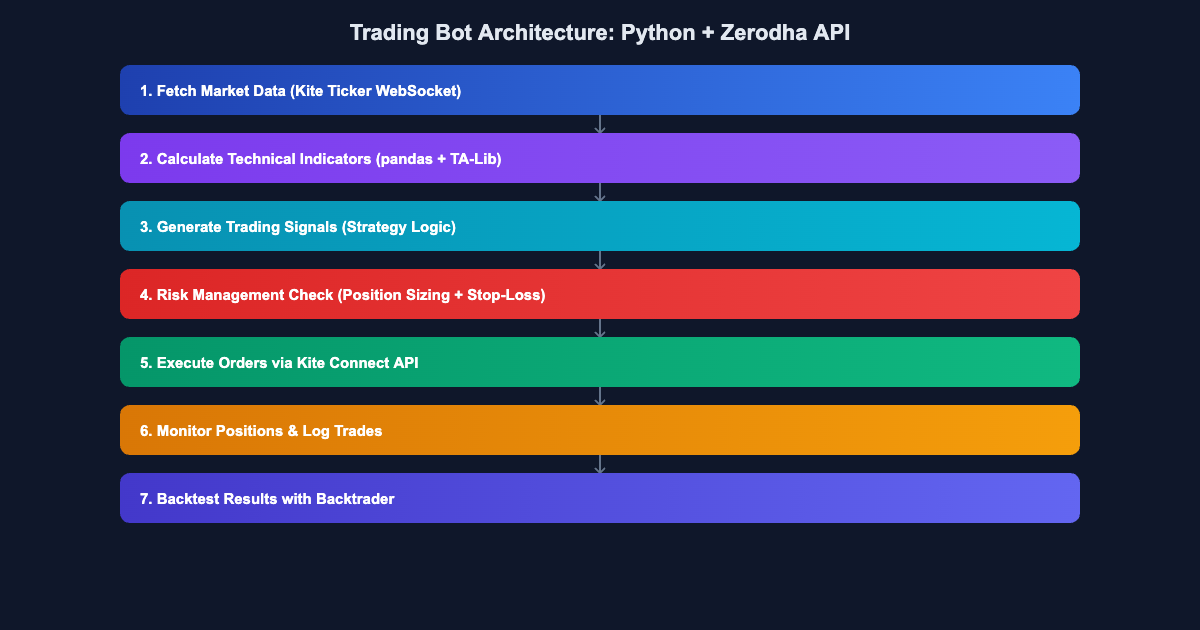
The bot architecture consists of three main components:
- Data Module: Fetches real-time and historical data from KiteConnect
- Strategy Module: Calculates indicators and generates signals (EMA crossover example)
- Execution Module: Places orders and manages risk
Fetching Data from Zerodha
Here’s how to fetch historical data using KiteConnect:
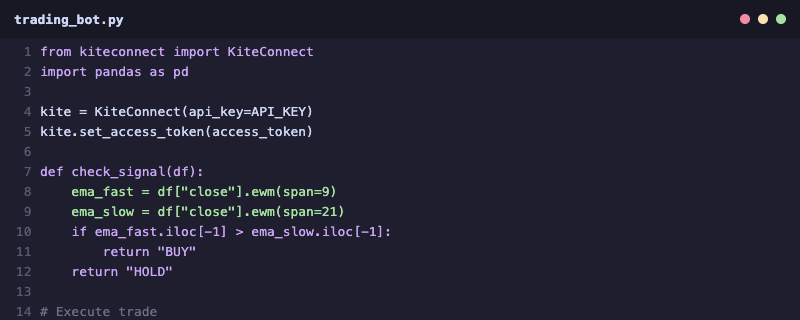
The code fetches 1-minute and 5-minute candle data, converts it to a Pandas DataFrame, and calculates moving averages for the EMA crossover strategy.
EMA Crossover Strategy Implementation
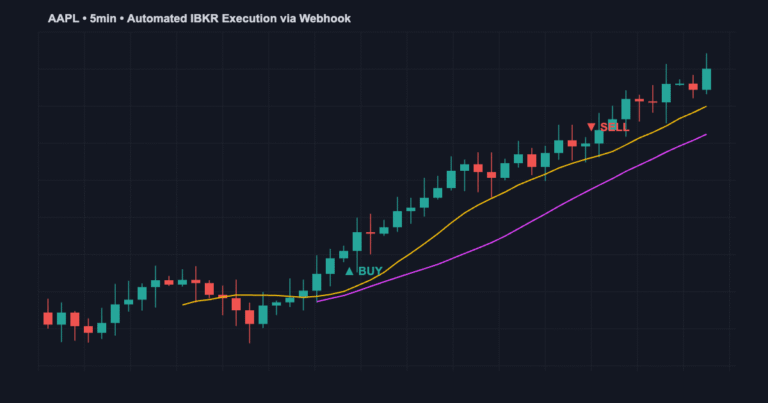
The EMA (Exponential Moving Average) crossover is a simple yet effective strategy:
- Fast EMA: 12-period (recent price movements)
- Slow EMA: 26-period (longer-term trend)
- Buy Signal: When 12-EMA crosses above 26-EMA
- Sell Signal: When 12-EMA crosses below 26-EMA
- Confirmation: Check if price is above 50-EMA for trend alignment
Strategy logic in Python:
if fast_ema > slow_ema and prev_fast_ema <= prev_slow_ema:
    # Generate buy signal
    place_order(symbol, 'BUY', quantity)
elif fast_ema < slow_ema and prev_fast_ema >= prev_slow_ema:
    # Generate sell signal
    place_order(symbol, 'SELL', quantity)
Order Execution with Risk Management
Proper risk management is critical for bot profitability:
- Position Size: Risk only 1-2% of capital per trade
- Stop Loss: Set at 1.5-2% below entry for buying
- Target: Target minimum 2:1 risk-reward ratio
- Max Positions: Limit to 5-10 simultaneous trades
- Profit Lock: Trail stop loss once profit reaches 50% of target
Learn advanced Python trading bot strategies and Zerodha API integration at Jayadev Rana’s platform.
Connect on WhatsApp for live bot debugging sessions and API troubleshooting.
Backtesting with Backtrader
Before deploying your bot to real trading, backtest extensively using Backtrader:
import backtrader as bt

class EMACrossoverStrategy(bt.Strategy):
    params = {
        'fast_ema': 12,
        'slow_ema': 26
    }

    def __init__(self):
        self.fast = bt.indicators.EMA(self.data.close, period=self.params['fast_ema'])
        self.slow = bt.indicators.EMA(self.data.close, period=self.params['slow_ema'])

    def next(self):
        if self.fast[0] > self.slow[0]:
            self.buy()
        elif self.fast[0] < self.slow[0]:
            self.sell()
Indian Market Considerations
When building bots for NSE/BSE trading, account for:
- Market Hours: 9:15 AM to 3:30 PM IST (420 minutes)
- Pre-market: 9:00-9:15 AM (limited liquidity)
- Settlement: T+1 (trades settle next day)
- Liquidity: Trade only NIFTY50 and Bank Nifty derivatives or top liquid stocks
- Holidays: NSE closes for national holidays
- Block Deals: Avoid high-risk periods before results/announcements
- Circuit Limits: Stock prices have upper and lower circuit limits (usually 10%)
Complete Bot Workflow
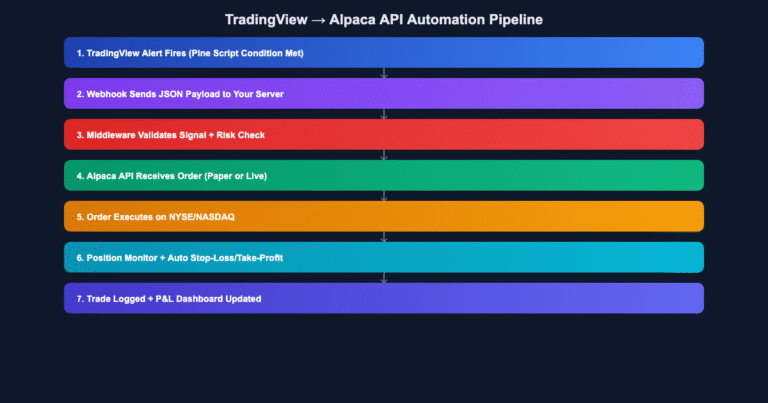
A typical trading bot execution flow:
- Connect to KiteConnect at 9:14 AM IST
- Fetch historical data for all tracked symbols
- Calculate EMA indicators
- Every 5 minutes: Check signals and place orders if conditions are met
- Track open positions and update stop losses
- At 3:29 PM: Close all remaining positions
- Generate end-of-day performance report
- Log all trades for analysis
Integrating with Upstox
If you prefer Upstox over Zerodha, the process is similar using Upstox's Python SDK. The logic remains the same; only the API calls differ.
Explore more: Complete Zerodha automation guide and Upstox API for algo trading.
Monitoring and Debugging
Keep your bot healthy with proper monitoring:
- Log every action: API calls, signals, orders, fills
- Error handling: Catch API timeouts and connection issues
- Alerts: Notify via email/WhatsApp on anomalies
- Daily reports: PnL, win rate, largest win/loss
Start building your first trading bot today with complete code examples and live support.
Build Your Automated Trading System
Get complete Python bot templates, Zerodha/Upstox integration code, and step-by-step deployment guide. Start automating your trading in hours, not months.
About the Author