If you’re a trader in India, you’ve probably wondered: Can I automate my trading in Zerodha? The answer is a definite yes—and in 2026, it’s easier than ever. Whether you want to execute trades automatically when TradingView signals trigger, or build sophisticated algorithms that run 24/7, Zerodha’s API infrastructure makes it possible.
This guide walks you through every approach to automating your Zerodha trades, from simple webhook integrations to building your own trading bot with Kite Connect.
What is Automated Trading and Why Does It Matter?
Automated trading means letting algorithms execute trades without manual intervention. Instead of clicking “Buy” and “Sell” all day, your system does it based on predefined rules.
- Emotion-free trading: No more panic selling or revenge trading
- Speed: Algorithms execute in milliseconds
- Scalability: Trade multiple instruments simultaneously
- Backtesting edge: Test strategies on historical data before risking money
Why Zerodha for Automated Trading in India?
Kite Connect API: One of India’s best-documented APIs for retail traders, free to use and widely supported. No restrictions on algo trading as long as you follow SEBI rules. Affordable brokerage at ₹20 per trade. Plus a large developer community and excellent integration ecosystem with platforms like TradingView, Algotest, and Tradetron.
Three Methods to Automate Trading in Zerodha
Method 1: TradingView Webhooks + Broker Bridge (Easiest)
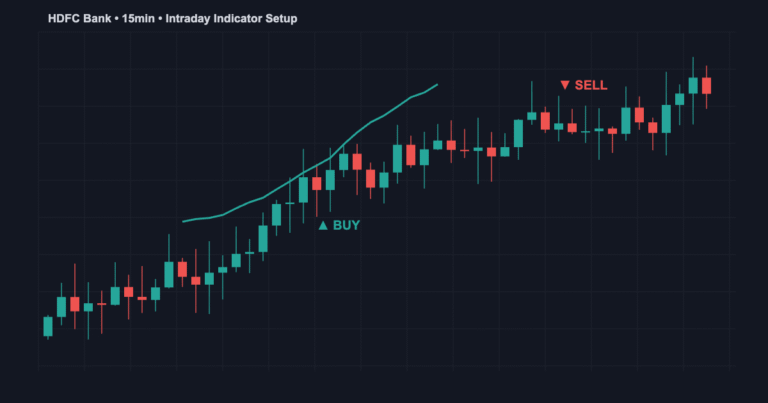
Write a Pine Script strategy on TradingView. When it generates a signal, a webhook sends data to a bridge service that executes the trade on Zerodha. This requires no coding beyond Pine Script and you can be live in 30 minutes.
Popular bridge services include Algotest (₹999/month), Tradetron (₹999/month), and open-source Python solutions.
Method 2: Zerodha Kite Connect API (Advanced)
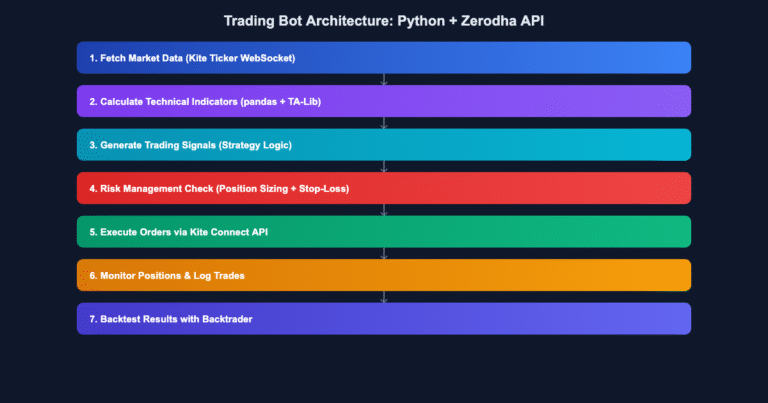
Write Python code that directly connects to Zerodha’s API, reads market data, and executes trades based on your logic. You get complete control but need Python programming knowledge.
Method 3: Zerodha Streak (No-Code)
Zerodha’s own product where you create rules visually without writing code. Great for simple strategies but limited in customization.
Step-by-Step: Setting Up TradingView + Zerodha Automation
- Create a Strategy in TradingView — Use Pine Script to build and backtest your strategy thoroughly
- Set Up Alerts — Configure TradingView to trigger when buy/sell conditions occur
- Get a Webhook URL — Sign up for a bridge service like Algotest or Tradetron
- Configure the Webhook — Paste the URL in TradingView alert settings with JSON payload
- Authorize Zerodha — Log into your Zerodha account via OAuth on the bridge service
- Test with Paper Trading — Run 5-10 trades on demo before going live
For a detailed webhook setup walkthrough, check our complete guide on connecting TradingView to Zerodha and Upstox.
Risk Management for Automated Trading
Position Size: Never risk more than 1-2% of capital per trade. Stop Losses: Every trade MUST have a stop loss coded in. Maximum Daily Loss: If down 2-3% today, stop trading. Avoid Gaps: Use limit orders during low-liquidity hours. Monitor Continuously: Check trades daily even with automation.
SEBI Regulations: What You Need to Know
SEBI allows retail traders to use algo trading systems. Allowed: strategies with predefined rules, webhooks, position sizing, and backtesting. Not Allowed: spoofing, layering, and high-frequency manipulation. As long as your automation is a straightforward trading system, it’s legal.
Frequently Asked Questions
Q: Will Zerodha ban me for algo trading?
A: No. Zerodha explicitly allows it and provides the Kite Connect API for this purpose.
Q: Which method is best for beginners?
A: Start with TradingView webhooks + Algotest/Tradetron. No coding required beyond Pine Script and you can be live in an hour.
Q: Can I automate options trading?
A: Yes, but it’s more complex. Start with equities or futures before moving to options.
Q: How much can I make?
A: It depends entirely on your strategy. Automation doesn’t guarantee profits; a good strategy does. Backtest thoroughly and start small.
Your Next Steps
Start small, test everything, and scale up only after proving your strategy works. For more on building strategies, check our Pine Script tutorial and algo trading in India guide.
About the Author