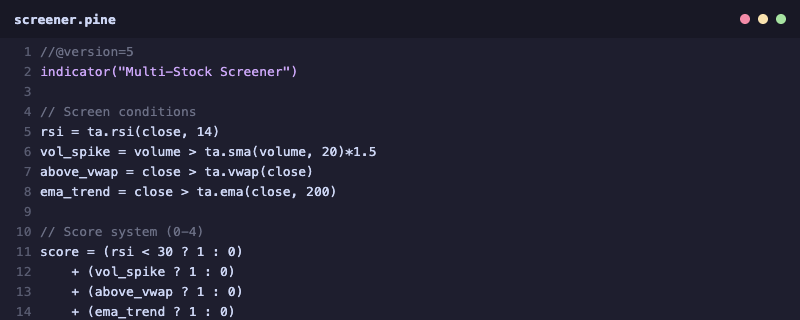
Building an effective stock screener in Pine Script allows traders to automate the discovery of trading opportunities directly within TradingView. This comprehensive guide walks you through creating a multi-condition screener that evaluates stocks based on technical indicators and volume analysis.
Introduction to Pine Script Screeners
A well-designed screener is essential for active traders who need to monitor hundreds of stocks efficiently. Pine Script screeners leverage TradingView’s powerful charting engine to scan multiple symbols using request.security() function. Learn more about Pine Script fundamentals.
Building Your Scoring System
Create a 0-5 scoring system where each condition adds points:
- RSI oversold (RSI < 30): +1 point
- Price above 50-day MA: +1 point
- Volume spike (current > avg): +1 point
- Bullish momentum: +1 point
- Support level bounce: +1 point
Request.security() for Multi-Symbol Scanning
request.security() enables your indicator to fetch data from multiple symbols. This is critical for screener functionality. The function fetches OHLCV data from any symbol and timeframe, allowing real-time evaluation across your watchlist.
Technical Filters: RSI and Volume
RSI (Relative Strength Index) identifies oversold conditions when below 30, signaling potential reversal opportunities. Combine this with volume analysis to confirm buying pressure. A volume spike during uptrend reversal strengthens the signal reliability.
Screener Table Display
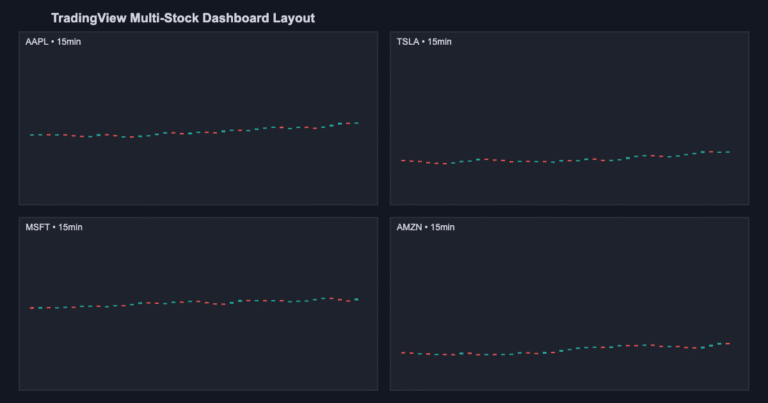
Create a table to display results in real-time. The table shows symbol names, scores, RSI, and volume status—all updated automatically as prices change.
Limitations of Pine Script Screeners
While powerful, Pine Script screeners have constraints:
- Limited to 40 symbols per scan
- Cannot display unlimited rows (table limit: 500 cells)
- No direct access to options or fundamental data
- TradingView built-in screener offers broader capabilities
When to Use Pine Script vs Built-in Screener
Use Pine Script for custom logic and visual integration. Use TradingView’s built-in screener for broader stock scanning across thousands of symbols. Often, a combination approach works best.
WhatsApp Tip: Join our trading community on WhatsApp for daily screener signals and Pine Script tips. Connect with us.
FAQ: Pine Script Stock Screeners
Q: How many symbols can a Pine Script screener monitor?
A: Typically 40 symbols, though this depends on TradingView plan and indicator complexity.
Q: Can I use my screener across all timeframes?
A: Yes, request.security() works on any timeframe. Just be aware of calculations updating on each candle close.
Q: Is Pine Script screener better than built-in screener?
A: Pine Script offers customization; built-in screener offers broader coverage. Use both strategically.
Internal Resources
Explore our related guides:
About the Author